Schools & training
Attendance gaps, learner progress, staff follow-up, and reports for leadership. Start with the education prototype; scope it around your school or training operation.
Explore education demo →Discuss your school →
See the work.Find the gaps.Build the system.
Operational dashboards and business software.
For schools, training providers, property teams, and service businesses.
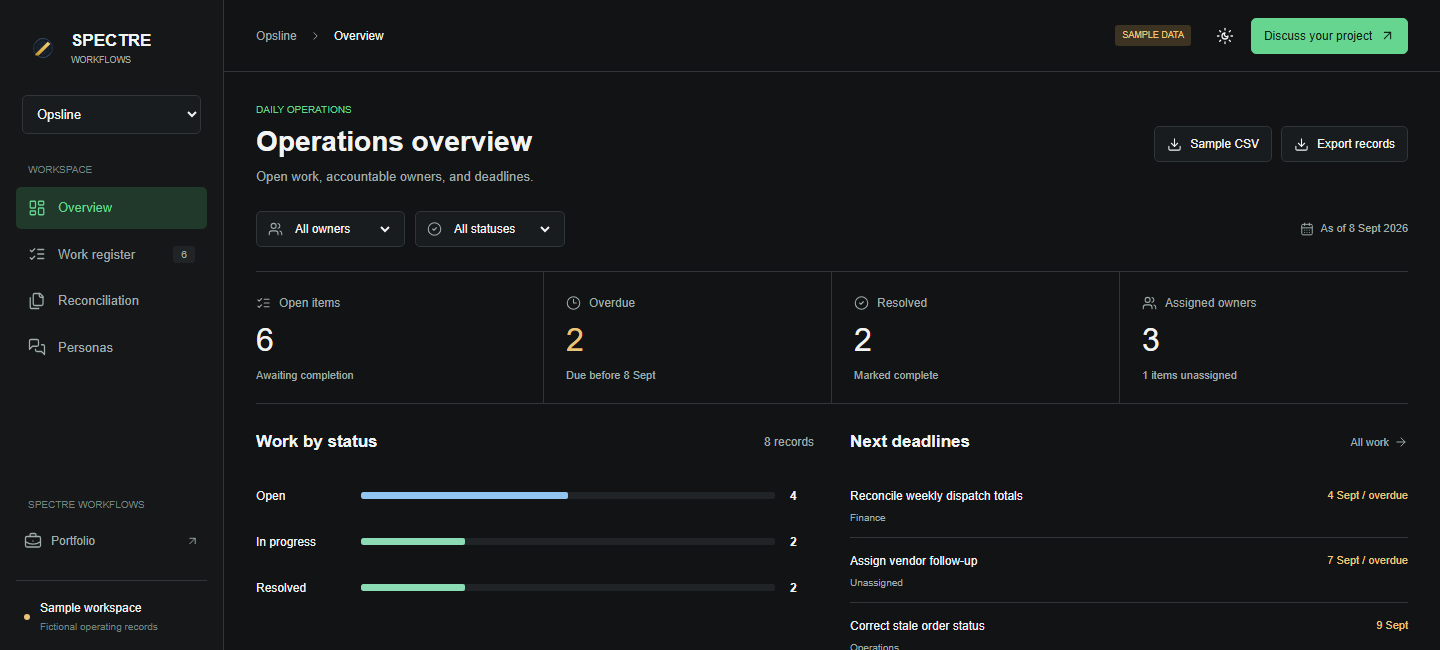
One tracker, report, dashboard, or handoff. Spectre maps the break and shows the first repair move.
Attendance gaps, learner progress, staff follow-up, and reports for leadership. Start with the education prototype; scope it around your school or training operation.
Explore education demo →Discuss your school →Maintenance requests, vendor response, tenant follow-up, and overdue jobs. Bring your current tracker and define the system your property team needs.
Scope a property workflow →Custom build · scoped to your operationJob queues, handoffs, reconciliation, and reporting. See who owns the next action and which records need attention before work gets delayed.
Explore operations demo →Discuss your workflow →A working example of the operational visibility Spectre builds.
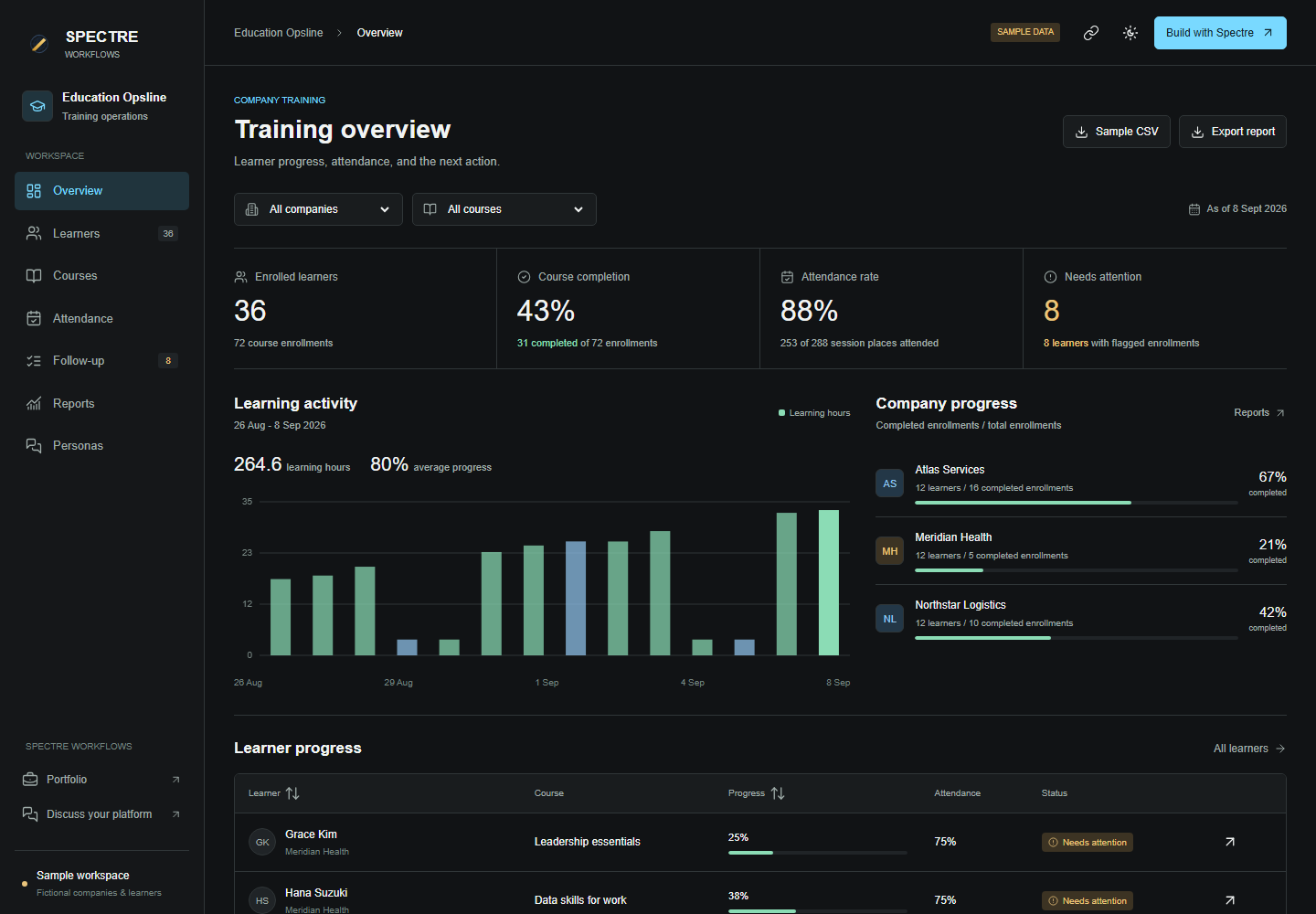
Inspect sample attendance, course progress, and learning time. Assign follow-up and record the next action.
Open learner records → Spectre reportingCalculate attendance and completion from the underlying records. Compare groups and export the detail behind each measure.
Explore the reporting engine → Ask a focused personaReview attendance with the Auditor, learning hours with the Architect, and follow-up with the Conductor.
Try persona commands →The demo uses fictional company-training records. School workflows, integrations, and deployment are scoped with your team.
$7M in operational impact calculated by the founder over nine months in auto operations. Read the case study →
Bring the report that takes half a day, the follow-up nobody owns, or the tracker your team keeps rebuilding. We agree on a focused paid sprint with a clear scope, budget, and delivery date.
Review the records, the people using them, and the decisions the system needs to support.
Connect the agreed inputs, reporting, and actions in a working system your team can review.
Set acceptance checks, deployment, support, and licensing terms before expanding the build.
Map how the work moves across staff, systems, reports, files, and dashboard views.
Find where the system record, staff action, owner, or dashboard output stops matching.
Leave teams with the issue, owner, test points, and a cleaner view.
The dashboard looks clean. The source file is already red. Faultline shows the split before the number becomes a decision.
Find missing records, conflicting totals, and overdue work. Give each issue an owner and a deadline.
Start with the file, tracker, report, or dashboard export that keeps costing time.
Compare the source record against the dashboard so a green view cannot hide a red file.
Fix the calculation or handoff, test the result, and assign the next action.
School reporting, property workflows, service operations, and internal dashboards. Define what your team needs to see, update, and act on.
Opsline tracks daily work. Faultline compares source records and reports. Hardline tracks evidence and review actions. Explore each workflow with fictional sample records.
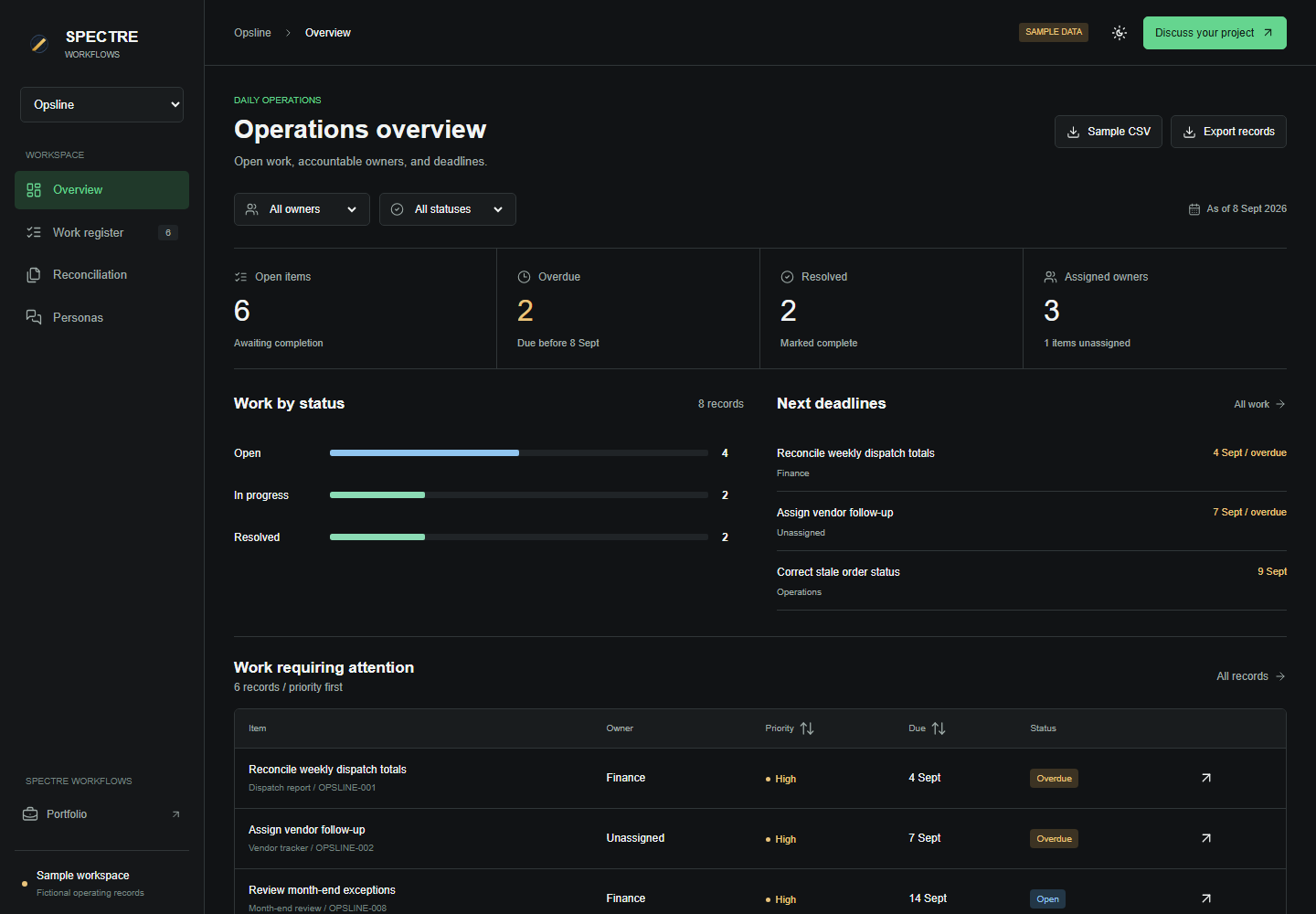
Find overdue work, assign an owner, and update its status. See the work register and totals change together.
Open the interactive demo →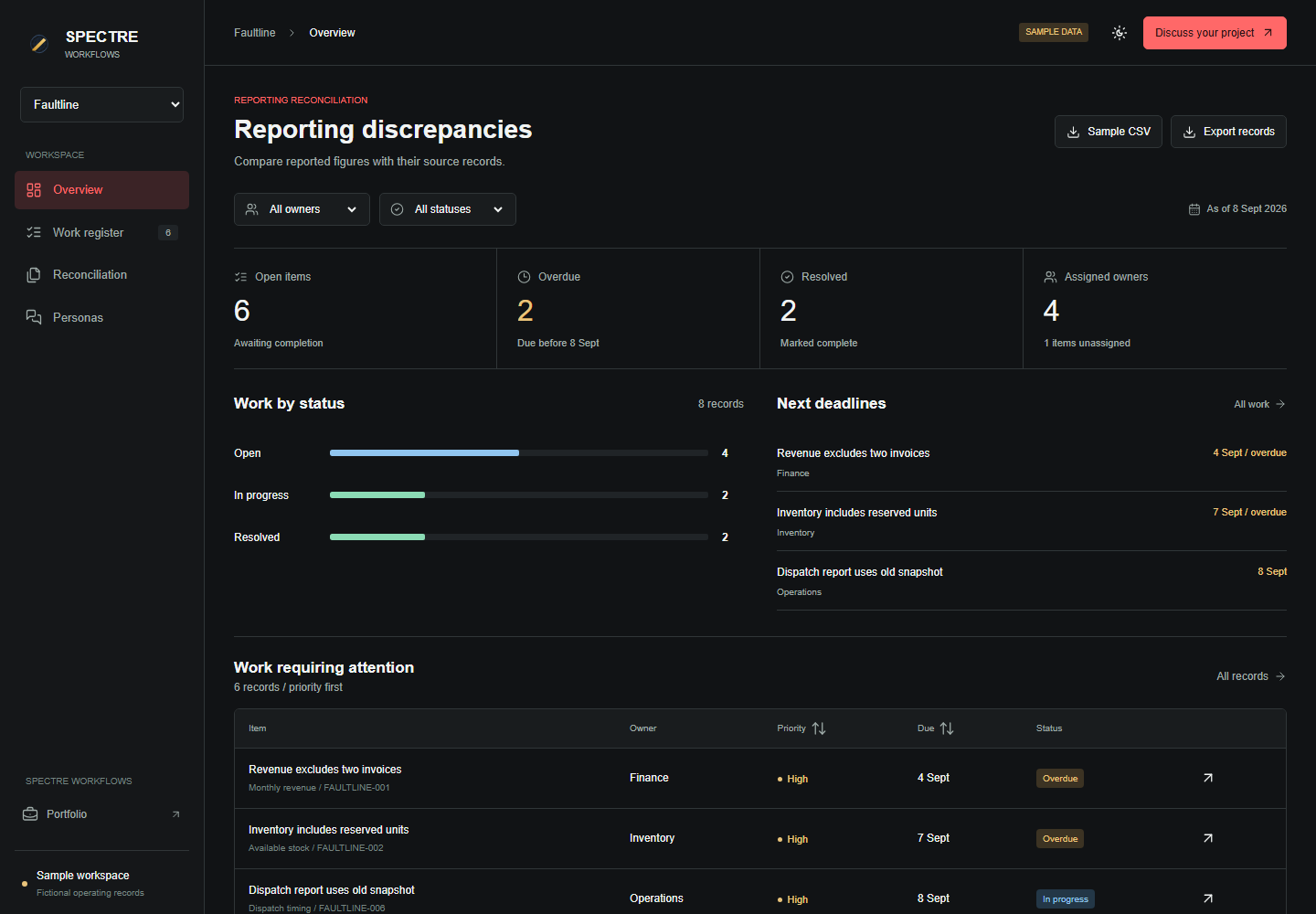
Trace a sample discrepancy to its source, correct the reported figure, and verify the recalculated difference.
Open the interactive demo →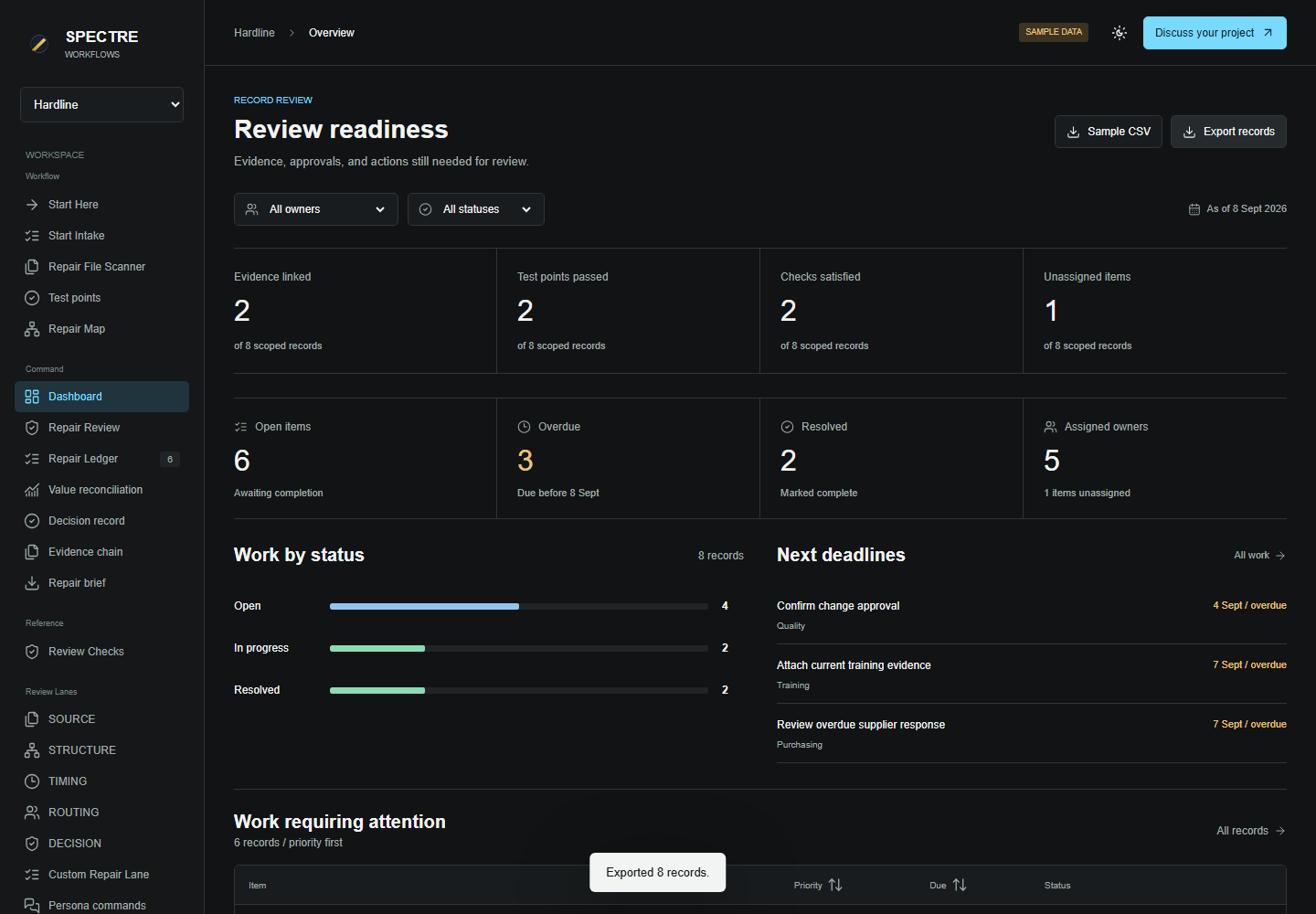
Track source records, accountable owners, and outstanding actions through review.
Open the interactive demo →Trace a wrong total to its source. Fix the calculation. Assign unresolved work and check the result.
A school report, a maintenance queue, a training platform, or a dashboard you cannot trust. Tell me what your team needs to see and get done.
Your inquiry goes directly to the builder. We can discuss the workflow online or meet in Dubai.